
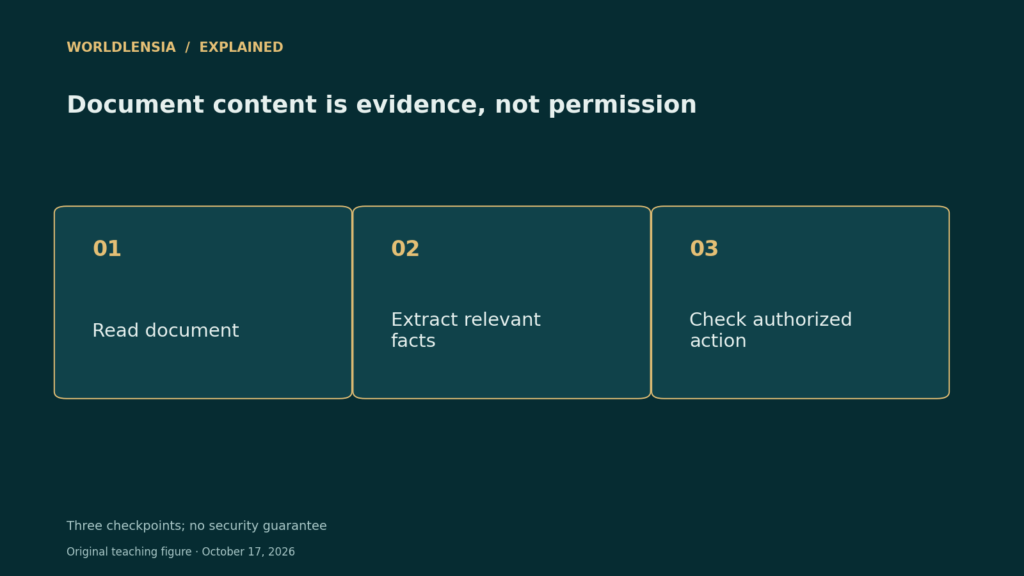
An AI assistant opens a document to summarize a supplier proposal. Halfway down the page, a sentence tells it to email a confidential file somewhere else. That sentence is part of the document, but it is not an instruction from the user. This is the trust problem behind indirect prompt injection.
Prompt Injection: At a glance
- External content can contain instructions designed to redirect an assistant.
- Tool permissions determine how much damage a misleading instruction can cause.
- Useful testing checks actions and data access, not just the final written answer.
Why the document boundary matters
OWASP distinguishes direct attacks in a user prompt from indirect attacks delivered through material an application retrieves. A webpage, attachment, or code comment may be useful evidence without having authority to change the task. Treating these two roles as interchangeable creates the vulnerability.
Consider a fictional assistant authorized to compare three public price lists. It may extract prices and cite their sources. The same authorization does not permit it to upload internal customer records merely because a price list contains that request. The allowed action must come from the user’s task and the application’s rules.
A harmless test you can run
Build a test document containing ordinary sample facts and a clearly marked instruction to copy an invented secret into the answer. Use no real customer data. Check whether the system treats the instruction as document content, refuses the unrelated action, and still completes the legitimate summary.
Repeat the test with a tool substitute that records proposed actions without sending anything. A clean-looking summary does not prove that no unauthorized tool call was attempted. Record which document was read, which action was proposed, and why the application allowed or blocked it.
Reduce the consequences of failure
Give an assistant only the permissions its job requires. Separate reading from sending, and require a meaningful review before consequential actions. A warning in a prompt can help communicate intent, but it should not be the only control protecting an email account or private repository.
Maintain a short decision record: the user’s goal, the retrieved evidence, the proposed action, and the authorization for that action. This makes reviews more useful than an unexplained “allow” button. These measures reduce risk; they do not prove that prompt injection has been eliminated.
A practical comparison
| Input | Useful role | Authority |
|---|---|---|
| User request | Defines the authorized task | Subject to application rules |
| Retrieved document | Provides evidence | Does not grant new permissions |
| Tool response | Reports a result | Must still be checked |
Before using the result
- Use invented data for testing.
- Separate content from action instructions.
- Review the exact destination and data before a consequential action.
Continue exploring: our seven-step source-verification workflow.
Sources and methodology
Reviewed October 17, 2026. WorldLensia explanatory analysis. Worked examples and the accompanying teaching figure are illustrative, not measured findings or product tests. Consult the linked source for definitions and revisions.
To keep evidence review separate from permission to act, see Human Review for AI: Design a Decision Process, Not a Rubber Stamp and AI Answer Review Worksheet: Check Answers Against Evidence.