
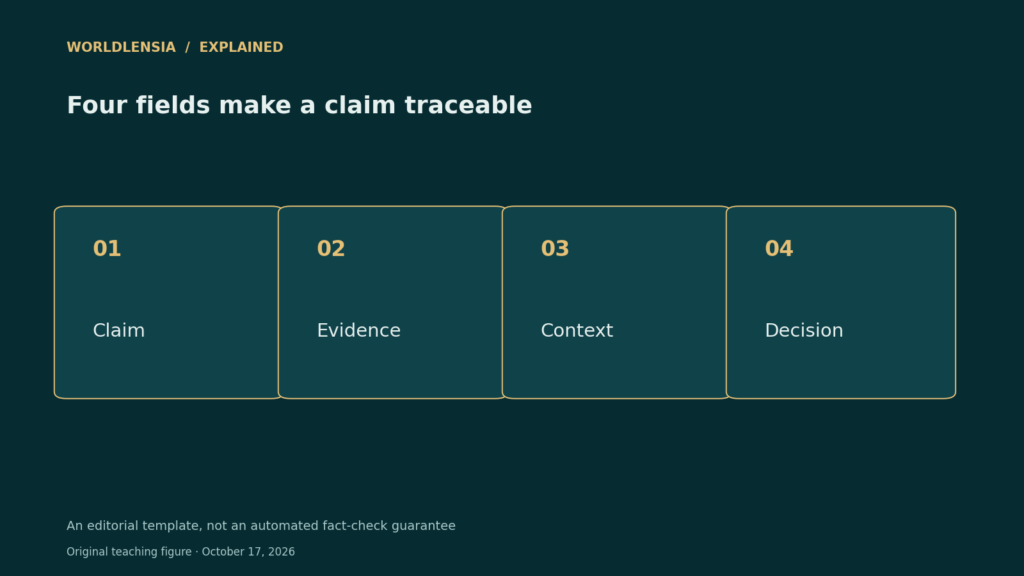
A reference list can look impressive while leaving the article’s strongest claim unsupported. A source ledger closes that gap by connecting each important statement to the exact evidence that supports it. It is a practical companion to a general research checklist, especially when an AI system helps summarize material.
At a glance
- Record claims individually instead of checking only the bibliography.
- Separate direct evidence, interpretation, and worked examples.
- A source URL is useful only when the cited material supports the stated claim.
Create a record you can actually review
Start with a plain table containing the claim, source title, URL, publication date, data period, relevant passage or table, and review status. Add a field for limitations. The objective is traceability, not collecting as many links as possible.
NIST’s work on evaluating machine-generated reports treats evaluation as a multidimensional problem. For an editorial workflow, this means checking factual support separately from readability. A polished paragraph can still combine the wrong year, unit, or population with an otherwise genuine source.
A worked ledger entry
Imagine a draft saying, “City A’s population grew 10% last year.” The supporting table instead compares 2020 with 2025. Mark the claim as needing correction, even if the arithmetic is right. The issue is the described time interval. A corrected sentence should identify the full five-year period.
Next imagine a claim saying a program caused the change. A descriptive population table cannot establish that causal explanation. Keep the measured change and the proposed explanation in different rows, and seek evidence suited to the causal claim. If it is unavailable, remove or qualify the interpretation.
Make missing evidence visible
Use simple statuses: supported, corrected, inference, or unresolved. Do not mark an entire article “verified” merely because most rows pass. An unresolved central claim can still undermine the article’s main conclusion.
Save the ledger with the publication date and update it when sources revise their numbers. The review record should tell a future editor what was checked at the time. It should not imply that a dated fact stays current indefinitely.
A practical comparison
| Ledger field | What to record |
|---|---|
| Claim | The exact factual statement |
| Evidence | Specific table, passage, and URL |
| Context | Period, population, and units |
| Decision | Supported, corrected, inference, or unresolved |
Before using the result
- Check central claims before secondary details.
- Open every cited source.
- Record missing evidence rather than filling gaps with plausible text.
Continue exploring: our seven-step source-verification workflow.
Keep an explicit boundary between evidence and inference
A useful ledger row includes the exact draft sentence, the source location and what that source actually establishes. In the fictional population example, a table can support a five-year change while leaving the cause unresolved. Record that distinction before deciding whether to revise the sentence or investigate a separate causal claim.
Two common audit traps are mislabelling percentage changes as percentage-point changes and mixing different release vintages. A calculation can be internally correct while answering the wrong question. The ledger structure here is WorldLensia’s practical workflow, not a prescribed NIST template.
Sources and methodology
Reviewed October 17, 2026. WorldLensia explanatory analysis. Worked examples and the accompanying teaching figure are illustrative, not measured findings or product tests. Consult the linked source for definitions and revisions.
To put claim-level checking into the wider research workflow, see Valid JSON Is Not a Verified Answer: Check AI Structured Outputs.