
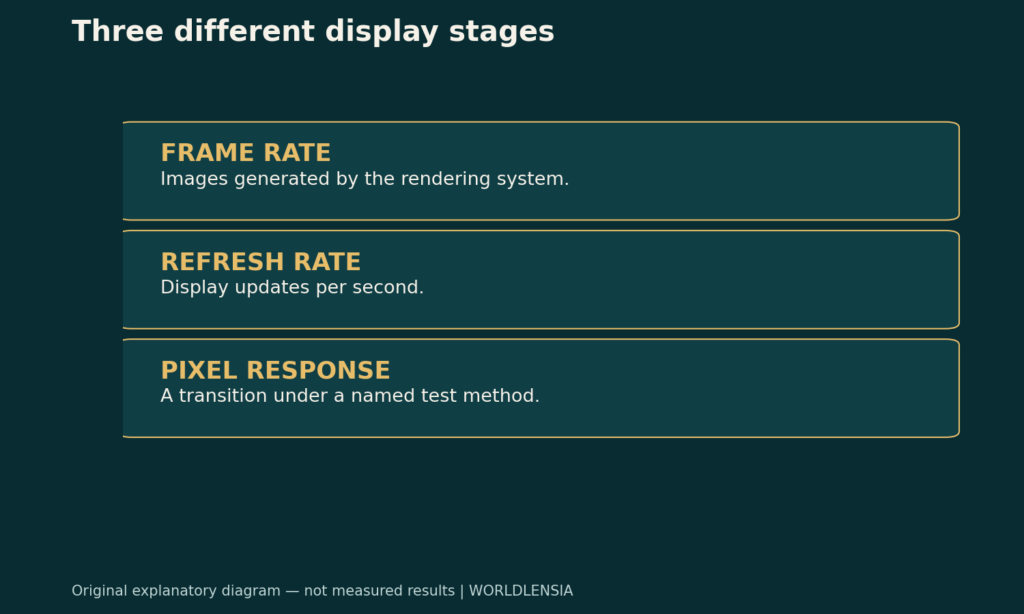
Refresh rate is the number of display updates per second; it does not guarantee the computer renders a new game frame for every update. A “1 ms” response-time label does not mean the entire computer-to-screen experience takes one millisecond. The specifications describe different parts of the image pipeline.
To compare displays clearly, separate the rate at which the computer produces images, the rate at which the display updates and the behavior of the pixels during a transition. Then check the conditions attached to each manufacturer's claim.

Refresh rate, frame rate and pixel response are separate stages
Frame rate describes how many frames the rendering system generates in a unit of time, usually expressed as frames per second. It can vary with the scene, software settings and hardware workload.
Refresh rate describes how often the display updates, expressed in hertz. Dell's monitor guidance distinguishes refresh frequency from generated frame rate and pixel response time. The distinction is useful even when comparing products from other manufacturers; the specific performance of those products still needs its own evidence.
Pixel response time describes a pixel transition under a defined measurement method. It is not a complete measurement of input processing, rendering, transmission, display scanout and pixel behavior combined. A specification needs a named method and operating mode before it can be compared fairly.
Calculate the nominal refresh interval
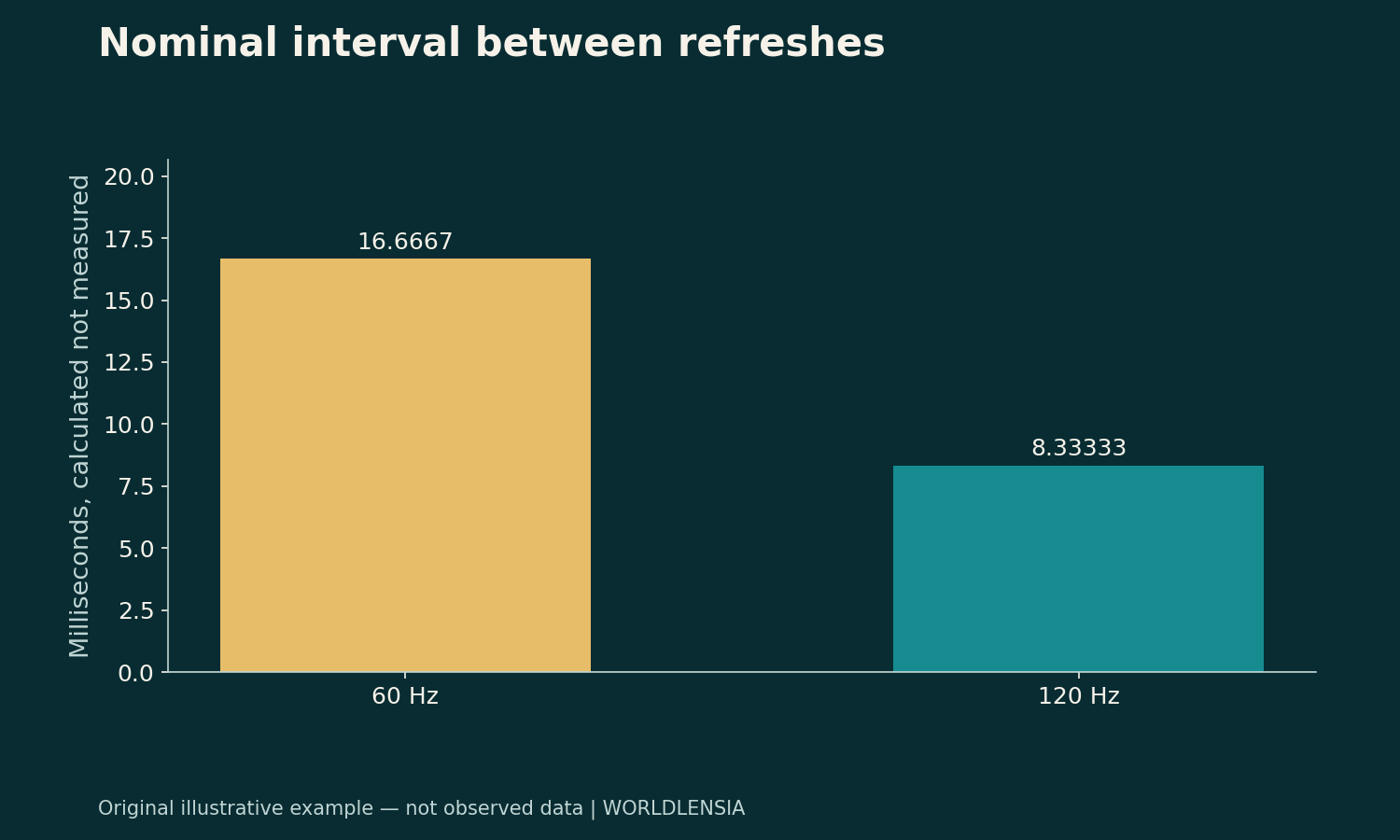
For a fixed refresh frequency, the interval between updates is 1 divided by the frequency. Converting seconds to milliseconds gives 1,000 divided by hertz.
| Frequency | Nominal interval between refreshes |
|---|---|
| 60 Hz | About 16.67 ms |
| 120 Hz | About 8.33 ms |
These are arithmetic intervals, not measured end-to-end delays. They do not include the time spent waiting for input, producing a frame or moving a pixel through a particular transition. They also do not prove that every part of a screen changes instantaneously at each interval.
The calculation explains why two refresh specifications describe different timing opportunities. It cannot tell you the visual result of a particular game, display mode or device combination. That requires compatible settings and relevant measurements.
A faster display cannot manufacture missing frames
Suppose a fictional computer produces 60 new frames per second while the selected display mode refreshes at 120 Hz. The display's higher update frequency does not mean the renderer suddenly produces 120 unique frames. Depending on the pipeline and settings, some updates may present repeated content or follow a different synchronization behavior.
The reverse mismatch also needs context. A renderer can generate more frames than the display's nominal update rate, but not every generated frame necessarily appears as a separate complete image. Avoid translating either number directly into a guarantee of smoothness or responsiveness.
Ask which resolution, connection, refresh mode and application settings were used. “Supports 120 Hz” may describe a capability that is not currently selected. A useful comparison records the active mode rather than relying only on the largest number in a product title.
Read response-time claims with their method
Two advertisements can use the same millisecond number for different measurement procedures or settings. A pixel-transition measurement and a motion-persistence measurement are not interchangeable simply because both use milliseconds.
Record the exact label, transition definition, mode and any qualifying notes. If the manufacturer supplies several modes, compare the mode that would actually be used. Do not assume the fastest advertised transition summarizes every color transition or the entire user experience.
This article does not report hands-on testing of any monitor. The point is to identify which evidence a comparison would need. Manufacturer specifications establish stated capabilities; independent measurements can answer additional performance questions when their methods and conditions are clear.
Build a useful comparison record
Keep rendering performance, active refresh mode and response-time method in separate fields. Add the source date and the exact model identifier. If a specification is unavailable, leave it unavailable rather than borrowing a number from a similarly named product.
WorldLensia's workflow-latency guide makes a related measurement point: separate stages before optimizing a total. The refurbished-electronics checklist adds condition and support questions when the display is not new.
The strongest comparison names the job and the measured conditions. A larger hertz number or smaller millisecond number can be relevant evidence, but neither is a complete verdict on a display.
Keep specification and measurement labels distinct
If a comparison table contains only manufacturer claims, say so. Do not label it a tested performance ranking. A transparent specification table can still help readers identify which questions require a compatible measurement before choosing between devices.
Sources and methodology
Definitions were checked against Dell's refresh-rate monitor guidance on October 19, 2026; a publication/update date was not established. Dell is a manufacturer source, not an independent endorsement. Refresh-interval calculations and the mismatched-rate scenario are original explanations, not product test results or current buying recommendations.
To check the device and connection beyond one display specification, see USB-C Cables: Check Charging, Data and Display Separately and Laptop Battery Life: Compare Watt-Hours, Workloads and Battery Health.